How to design it
Five decisions to make, in this order. They are our starting guidance, not tested rules.
Decide what deserves a stop
List everything the agent can do, then sort it by how hard it is to take back. Stopping for everything may teach people to stop reading.
Show only what helps someone catch a mistake
Ask: what would they need to see to say "wait, that's wrong"? Show that on the same screen.
Pay ₹18,500 by UPI?
- To
- Sharma Prints
- For
- Invoice 204
New UPI ID. Last month's payment went to a different one.
- 1QuestionNames the action.
- 2DetailsWho, and why. Only what is worth checking.
- 3WarningOnly when something is unusual. Otherwise leave it out.
Name every choice after what it does
A button should still make sense if it is the only thing someone reads.
Design every ending, not just "yes"
Most of the design work is here, because these are the cases people forget.
Use motion to explain what changed
Each movement should answer a question. It should still make sense with animation turned off. Timings are our suggestion.
One job, four situations
The same vendor payment. Choose a situation and it plays by itself. Use the bar below it to jump to any step.
Read the steps as text
With a chat box
The ideaThe request sits in the conversation, then stays there as a record.
- The person asks the agent to do something.
- The agent starts. Reading an invoice is safe, so it does not ask.
- Paying is hard to undo, so it stops. A card makes this stand out from normal messages.
- The person checks the details and presses the named button.
- The card becomes a short record of what really happened.
No chat box
The ideaThe request lives on the item it affects, where people already look.
- There is no chat here. The agent works quietly inside the invoices list.
- It reaches a payment. Only this one row changes, so attention goes to the right place.
- The person presses the row. The details will open right there, not on another page.
- They check the details and press the named button.
- The row updates. It also says who approved it, so the record stays clear.
When the person is away
The ideaThe agent holds one step and keeps safe work going until the person returns.
- The person has gone home. The agent keeps working, and the phone stays quiet.
- A notification arrives only because a person is really needed. Other work is finished.
- There is no one-tap Pay on a locked phone. The button only opens a review.
- After unlocking, they see the full details and decide.
- Done. If they had not answered, the payment would have stayed on hold.
First time setup
The ideaTrust gets set up before the first real job, using real tasks instead of settings jargon.
- Before any real work, the agent explains what it can do, in plain tasks.
- Safe tasks are set to run without asking.
- Money and messages start on the strict setting.
- The person rehearses a practice approval with nothing at stake.
- Now they know what a real request will look like when it comes.
 In the PDF, each situation is one page you can print, with when to use it and what to watch out for. See what's in the guide
Three real-world jobs
Each job has a different risk, so the approval changes too.
Read the steps as text
Customer refund
The riskGiving away too much, or keeping a customer waiting.
The design moveLet the team set a limit, send bigger cases to the right person, and keep the customer informed.
- A customer reports a damaged order. Reading the order and photo is safe, so the agent just does it.
- The team has a rule: the agent can refund up to ₹1,000 by itself. Smaller refunds never stop here.
- This one is ₹2,400, so it stops. The request goes to a manager, not to the customer.
- The manager checks the reason and presses the named button.
- The refund goes out, the customer is told, and the record shows who approved it.
Moving a meeting
The riskA message goes out in your name, to the wrong person or in the wrong tone.
The design moveShow the exact words and everyone receiving them, and make editing easy.
- The person says: "Move Thursday's review and tell everyone." Checking calendars is safe.
- It finds Friday at 3pm and writes a message. Nothing has been sent yet.
- It stops, because other people will read this as coming from you. The client is pointed out.
- The person reads the exact words and sends it.
- Sent, and the meeting has moved. An email cannot be unsent, so a follow-up is the only fix.
Renaming a design file
The riskToo many changes to read, so people may approve without looking.
The design moveGroup similar changes, show a sample, and separate the few that need attention.
- A designer asks the agent to tidy up layer names. Scanning the file changes nothing.
- It works out new names. Nothing in the file has changed yet.
- Nobody can read 312 changes, so it groups them, shows a sample, and pulls out the 12 risky ones.
- The designer approves the simple 300 in one step, and keeps the risky 12 for later.
- 300 are done and can be undone in one step. The 12 are still waiting, untouched.
In real products, and how sure we are
- Notion offers Always ask, Review for me (default) and Skip all approvals. In docs
- Claude in Chrome offers three approval levels and bans purchases outright. In docs
- Chrome auto browse asks for review before sending, submitting forms and scheduling. In docs
of permission prompts are accepted, Anthropic reports. That could mean people stop reading, or that most requests were fine.
One vendor, coding users, method not published. We found no independent study, and no data on non-coders.
Build it yourself
Paste this into Claude Code to make your own version.
Build one HTML page showing an approval card for paying a vendor ₹18,500 by UPI. Show who, how much and why. Highlight that the UPI ID is new. Use two buttons: "Pay ₹18,500" and "Check with vendor first". Animate the card rising in, and turn it into a short record of what happened when I press a button. Simulate everything. Explain each part in plain words.
Do and don't
A quick check before you ship. These examples are ours, not taken from any product.
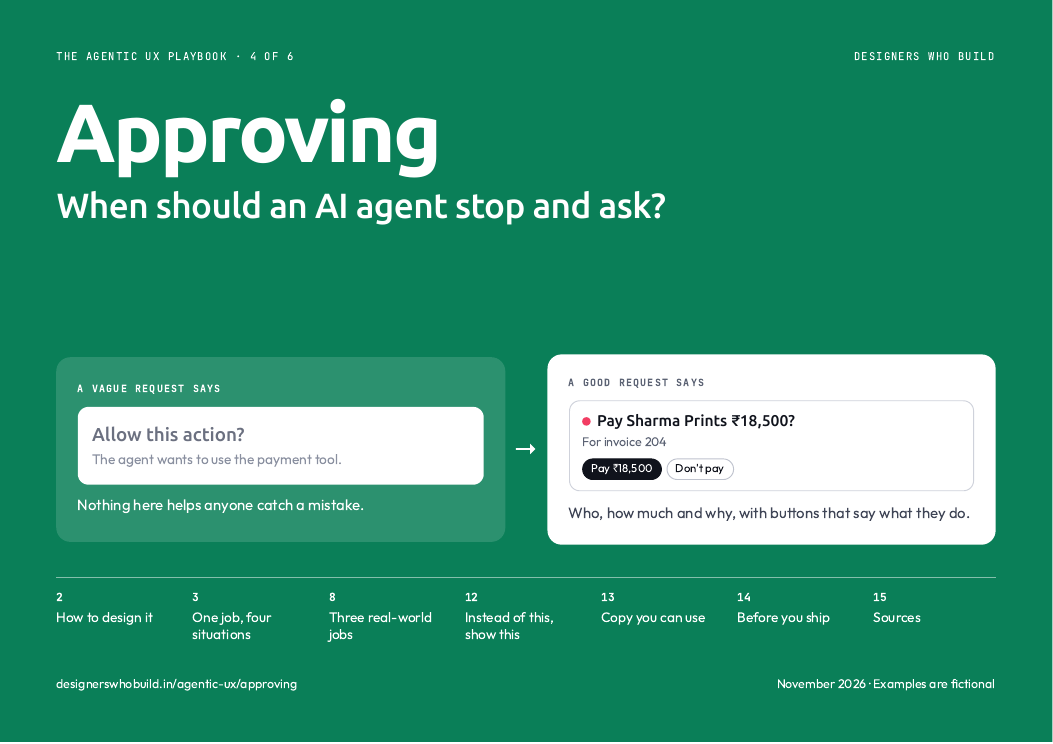
Pay Sharma Prints?
- Amount
- ₹18,500
- For
- Invoice 204
The person can check who, how much and why.
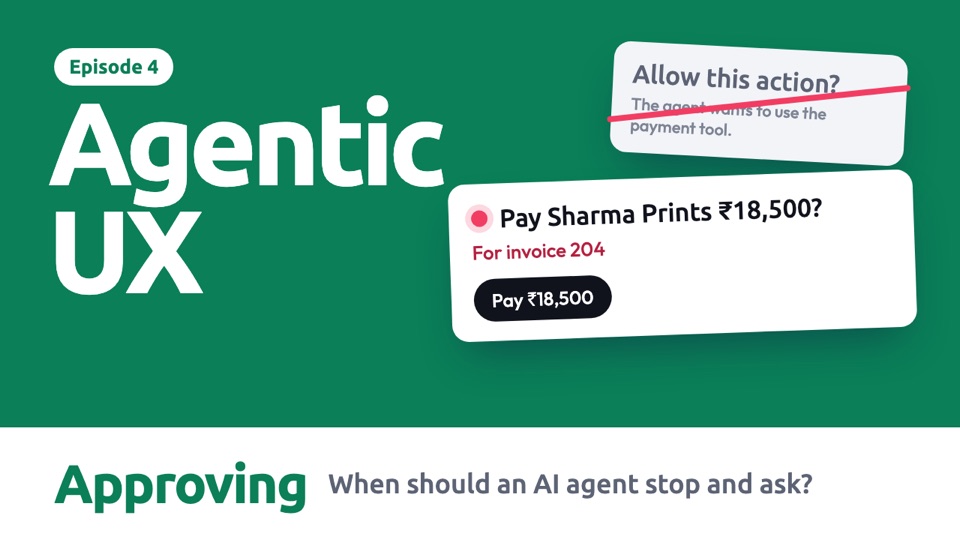
Allow this action?
The agent wants to use the payment tool.
Nothing here helps anyone catch a mistake.
The button says what will happen.
Does Cancel stop the payment, or just close the box?
Pay ₹18,500?
The account details differ from the last payment.
Attention goes to the one thing worth checking.
Pay ₹18,500?
Please review the details carefully.
A routine payment and a risky one look identical.
Ready to pay 6 invoices
Total ₹74,200. 5 are routine, 1 is new.
One decision, with the exception visible.
Allow: read invoice 1 of 6?
This request may repeat for each step.
Asking about harmless steps wastes the person's attention.
Everything above
- The decisions to make, in order
- Every situation and real-world job, animated
- What real products do, and how sure we are
- A prompt to build your own
- Do and don't
Ready for your next review
- Every example frame by frame, with when to use it
- Words for a request, ready to use
- An 11-point checklist for your next review
- Ready to print or share with your team
Comes with all six guides.
All examples are fictional, including names and numbers. Product details come from each company's documentation, checked on 7 Nov 2026, and have not been checked on screen. Design guidance is our starting point, not tested rules.