How to design it
Six decisions to make, in this order. They are our starting guidance, not tested rules.
Decide what Stop means in your product
"Stop" can mean several different things, and real products differ. Choose one, and tell people which it is.
Make Stop easy to reach and instant to respond
Someone pressing Stop may be in a hurry. Keep it in view for the whole job, and don't ask "Are you sure?"
- 1Always visibleNot in a menu, and not only at the end.
- 2Instant responseShow that it heard them, even if the work takes a moment to halt.
- 3Movement endsWhen the count stops moving, people believe it worked.
Be honest about what can't be stopped
Some actions can't be called back once they have started. Find them before you promise anything.
Report where things stand
"Stopped" isn't enough. Sort the report by what the person can still do something about.
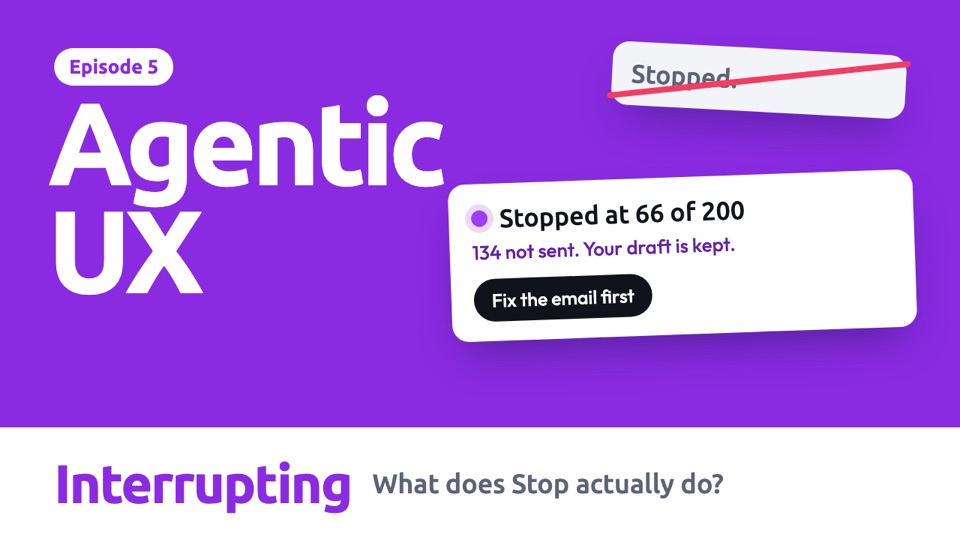
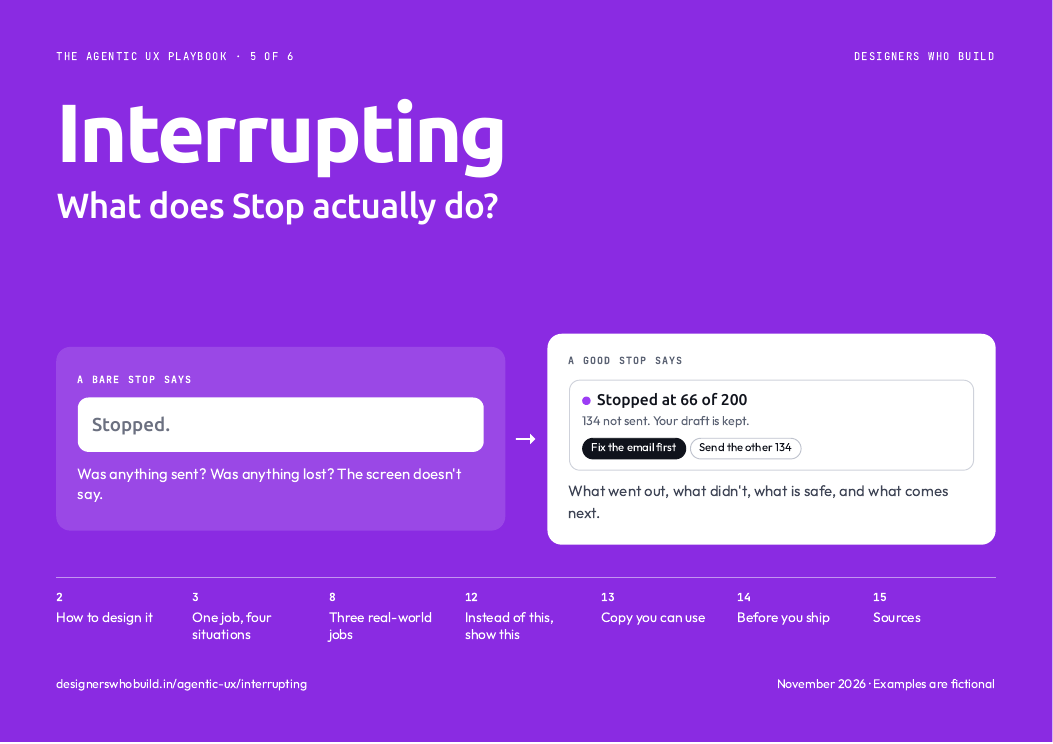
Stopped at 66 of 200
Sent: 66 clients, cannot be recalled
Not sent: 134 clients
Kept: your draft and the client list
- 1Can't be changedWhat is already out in the world.
- 2Still openWhat they can still decide.
- 3SafeWhat they won't have to redo.
Design every ending, not just "stopped"
Stopping is usually the start of another decision, so plan for what comes next.
Use motion to confirm the stop
The most reassuring movement here is movement ending. If things keep moving, people press again. Timings are our suggestion.
One job, four situations
An agent is emailing 200 clients when someone spots a mistake. Choose a situation and it plays by itself. Use the bar below it to jump to any step.
Read the steps as text
With a chat box
The ideaThe answer to pressing Stop is an account of what happened, not just the word "Stopped".
- The agent is sending an email to 200 clients. Stop stays in view the whole time.
- The person spots a typo and presses Stop. There is no "Are you sure?"
- It responds at once, and is honest that a small batch is already on its way.
- It reports where things stand, sorted by what can and cannot be changed.
- Earlier work is kept, so fixing the email does not mean starting again.
No chat box
The ideaStop sits right next to the work it affects, so people don't have to look for it.
- There is no chat here. Stop sits on the row of the job that is running.
- The person presses it, right where they are looking.
- The row changes straight away. The count stops moving, so it is clear that it worked.
- The details open on the same screen.
- The row keeps the record, so anyone on the team can see what happened.
When the person is away
The ideaStopping is usually the safe direction, so it can be easier than approving. One tap is fine here.
- The person is away from their desk, and the job is still running.
- Paying should not be one tap on a locked phone. Stopping can be, because it does less harm.
- The result comes back as soon as it has stopped.
- They can leave the next decision until they are back at a screen.
- Nothing moves until they choose. The stopped job waits for them.
When it can't stop at once
The ideaSome things can't be stopped once they have started. Saying so is better than pretending.
- Emails go out in small batches. One batch is with the email service right now.
- The person presses Stop.
- It responds at once, even though the last batch is out of its hands.
- The batch completes, so the number goes up after Stop. It explains why, so this does not look like a bug.
- The final report matches what really happened.
 In the PDF, each situation is one page you can print, with when to use it and what to watch out for. See what's in the guide
Three real-world jobs
Stopping causes a different problem in each of these, so the design changes too.
Read the steps as text
Updating store prices
The riskStopping halfway can leave things worse than finishing or not starting.
The design movePoint out the half-finished state, and offer both ways out of it.
- The agent is updating 500 prices on a live store.
- The manager notices the discount looks wrong, and presses Stop.
- Stopping leaves the store in a mixed state, and the agent says so plainly.
- The manager chooses to put things back as they were.
- The store is consistent again, and the record says what happened.
A phone call in progress
The riskA real person is on the other end, and can't just be cut off.
The design moveLet Stop end the call politely, and tell the person what was and wasn't agreed.
- The agent is on the phone with a clinic, booking an appointment.
- The person realises Tuesday won't work, and presses Stop.
- Someone else is on the line, so Stop finishes the sentence and says goodbye.
- If it is urgent, the person can still end the call immediately.
- The result says what was agreed, which here is nothing.
A long research job
The riskStopping could waste the time and credits already spent.
The design moveKeep what it found, and be clear that the result is incomplete.
- A long research job is running.
- The person has seen enough, and presses Stop.
- Stopping does not mean throwing it away. What it found is kept.
- They ask for a write-up of what it has so far.
- The short report says how much it covers, so nobody mistakes it for the full version.
In real products, and how sure we are
- Claude Code: Esc stops the current response or tool call, and keeps the work done so far. In docs
- GitHub Copilot: Stop session keeps commits already pushed. The page doesn't say what happens to unpushed changes. In docs
- Gemini in Chrome: Stop in the side panel lets Gemini work out next steps, and it may carry on another way. Stop in the Gemini text box cancels fully. In docs
- Linear tells agents to halt immediately on a stop request, then post a final message confirming it and stating where things are. In docs
of turns get interrupted, rising from new to experienced Claude Code users, Anthropic reports. Its reading is that people move from approving each action to stepping in when something goes wrong. If so, Stop matters more as trust grows.
Restarting can beat steering: Cursor advises reverting and rerunning with a sharper plan, which it calls often faster.
One vendor's data on coding users, and it notes that harder tasks and default settings may play a part. Cursor's advice is guidance, not a study. We found no user study of what people expect Stop to do, or of what they understand after pressing it.
Build it yourself
Paste this into Claude Code to make your own version.
Build one HTML page that simulates sending 200 emails with a live counter and a Stop button. When I press Stop, respond at once, finish the small batch already on its way, then freeze the counter. Show a report with three groups: sent (cannot be recalled), not sent, and kept. Add buttons to send the rest or fix the email first. Simulate everything. Explain each part in plain words.
Do and don't
A quick check before you ship. These examples are ours, not taken from any product.
Stopped at 66 of 200
134 not sent. Your draft is kept.
They know exactly where things stand.
Stopped.
Was anything sent? Was anything lost? The screen doesn't say.
One press, because someone pressing Stop may be in a hurry.
Are you sure you want to stop?
Emails keep sending while you decide.
The damage carries on while they answer.
Stopping
6 emails were already on their way.
A number going up after Stop now makes sense.
All sending stopped
Later: 6 more emails arrive.
One surprise like this makes every later report hard to believe.
Stopping is a pause in the work, not the end of it.
Task cancelled
Start a new task to try again.
Everything done so far feels wasted.
Everything above
- The decisions to make, in order
- Every situation and real-world job, animated
- What real products do, and how sure we are
- A prompt to build your own
- Do and don't
Ready for your next review
- Every example frame by frame, with when to use it
- Words for Stop, ready to use
- An 11-point checklist for your next review
- Ready to print or share with your team
Comes with all six guides.
All examples are fictional, including names and numbers. Product details come from each company's documentation, checked on 7 Nov 2026, and have not been checked on screen. Design guidance is our starting point, not tested rules.