How to design it
Six decisions to make, in this order. They are our starting guidance, not tested rules.
Sort failures by who can fix them
Not every failure needs a person. Bring them in only when they have a real decision to make.
Say what happened, starting with what worked
People fear the worst when something fails. Lead with what is safe, then give the plain reason, without an error code.
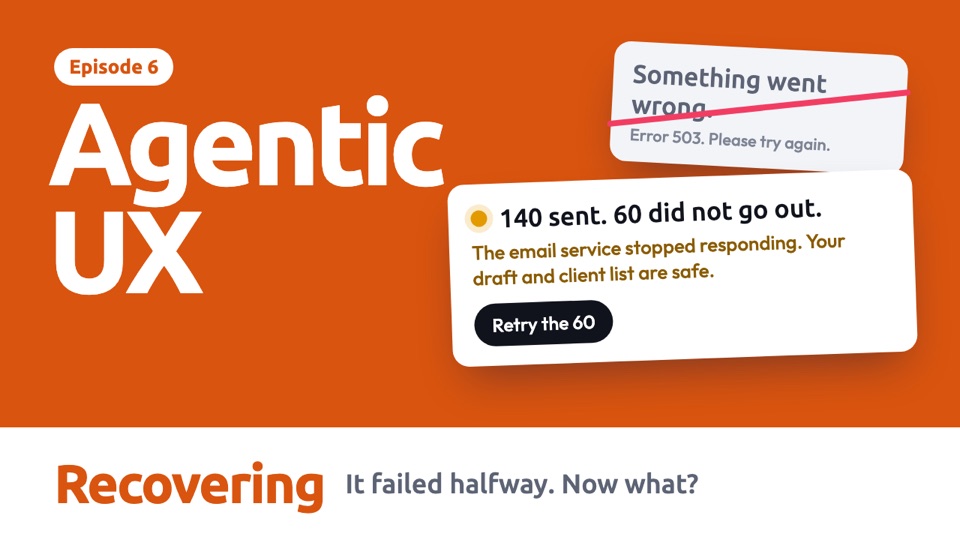
140 sent.
60 did not go out.
The email service stopped responding.
Your draft and client list are safe.
- 1What workedThis is not a total loss.
- 2What didn'tExactly how much is affected.
- 3WhyIn plain words.
- 4What is safeWhat they don't have to worry about.
Protect the work that is already done
A failure in step 8 shouldn't throw away steps 1 to 7. Decide how to keep work, and how to avoid doing things twice.
Be honest about what undo can reach
Real products document limits, but people may not read them. Put the limit where they are deciding, not in a help page.
Design every ending, not just "fixed"
Recovery can fail as well. Plan for what happens when the first answer doesn't work.
Use motion to stay calm
A failure is already stressful, so avoid shaking screens and flashing red. Motion should show what is safe and where work picks up. Timings are our suggestion.
One job, four situations
An agent is emailing 200 clients when the email service fails at 140. Choose a situation and it plays by itself. Use the bar below it to jump to any step.
Read the steps as text
With a chat box
The ideaStart with what worked, say plainly what didn't, and retry only the part that failed.
- The agent is sending an email to 200 clients.
- The email service fails. The message leads with what worked, and says what is safe.
- The person retries, and only the part that failed will run again.
- It picks up at 141, so the work already done is not repeated.
- Finished, and it confirms that nobody got the email twice.
No chat box
The ideaThe problem shows up on the item it affects, and fixing it happens right there.
- There is no chat here. The job is running in a list with other work.
- The failure appears on this one row. Nothing else is interrupted.
- The person opens the row, and the details appear in place.
- The row shows the retry happening.
- The row keeps a short record, so the team can see what happened.
When the person is away
The ideaAgents can often fix small problems alone. Only ask for the person when they have a real decision to make.
- The person has gone home when the email service fails.
- The agent retries on its own, so a brief problem doesn't need to bother anyone.
- After 3 tries it still can't send, so now it is worth a notification.
- They open it, and see why more retries won't help right now.
- The job waits for a sensible time, and they can stop thinking about it.
When undo can't fix it
The ideaAn Undo button is a promise. Say what it can really do before anyone relies on it.
- Something has gone wrong, and the person wants to reverse it.
- They press Undo, hoping to take it all back.
- It says what it can restore and what it can't, before doing anything.
- Sent emails can't be unsent, so it offers the next best thing.
- A correction is ready, and nothing goes out until the person has checked it.
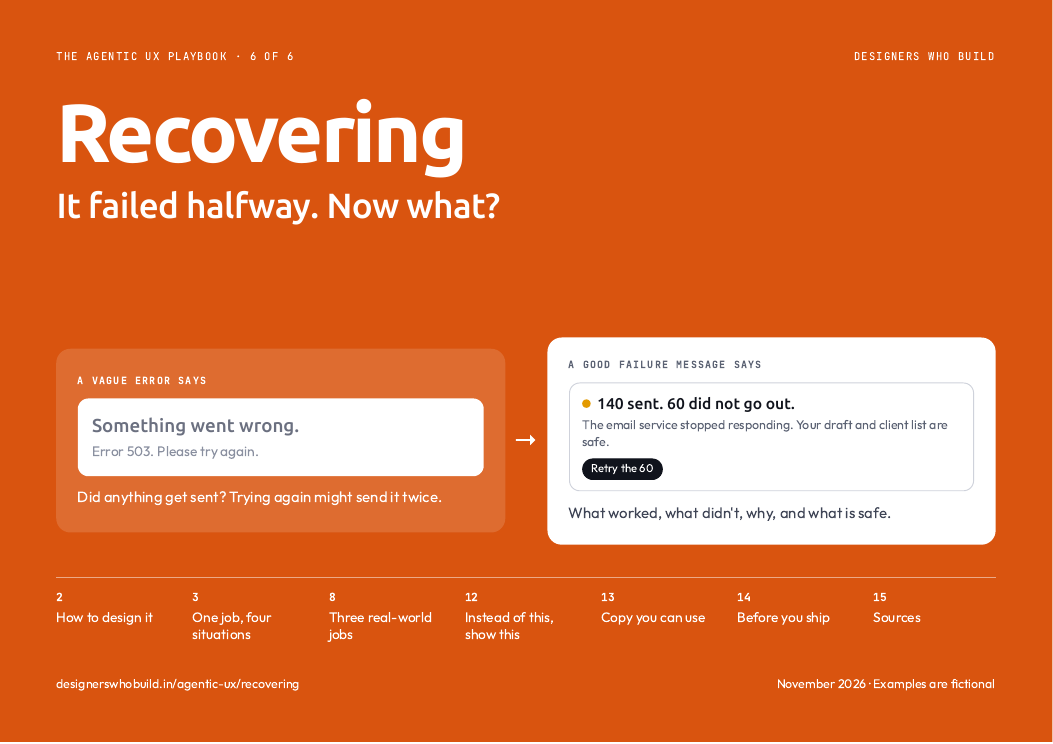 In the PDF, each situation is one page you can print, with when to use it and what to watch out for. See what's in the guide
Three real-world jobs
Each failure puts something different at risk, so the recovery changes too.
Read the steps as text
Paid, but not booked
The riskMoney has gone, and the person doesn't know whether they have anything to show for it.
The design moveSay where the money is first, then what happens if nothing else is done.
- The agent is booking a clinic appointment.
- The fee is taken, but the clinic's system stops responding.
- The first thing it says is where the money is, and what happens by default.
- The person tries once more.
- It goes through, and they are charged only once.
A page that breaks
The riskAn agent keeps trying fixes, and each one makes things a little worse.
The design moveLimit the attempts, then offer a working version and say what would be lost.
- The agent adds a pricing section to a landing page.
- A check fails. This is small, so it tries to fix it by itself.
- After 2 tries it stops, and says exactly what going back would cost.
- The person goes back to the working version.
- The page works again, and the unfinished section is kept instead of thrown away.
Importing 1,000 contacts
The riskA few bad rows make the whole job look like a failure.
The design moveKeep what worked, and group the problems by cause, so they can be fixed together.
- The agent is adding 1,000 contacts from a spreadsheet.
- Some rows have problems. It doesn't stop everything for those.
- The result leads with what worked, then groups the problems by cause.
- The person opens just the ones that need them.
- What remains is a short, clear list, not one more error message.
In real products, and how sure we are
- Claude Code lets you restore code, conversation or both, and warns "Restored the code, but skipped N files" when it can't restore everything. In docs
- Replit warns that a rollback removes later changes. The development database is restored only if you select it, and production isn't restored automatically. In docs
- Notion Custom Agents log each run's steps and errors, so you can adjust the instructions and run it again. In docs
used a customer service chatbot that made mistakes, in a 2025 experiment. An apology, an explanation and offering other options each raised trust compared with doing nothing. Human-style and system-style fixes didn't differ significantly.
When the agent fixed the mistake itself, that worked better than needing the person's help. Asking the person questions didn't significantly help.
A simulated chat about shopping, not an agent failing partway through real work, so applying this here is our judgement. We found no study of undo or save points as a way to build trust.
Build it yourself
Paste this into Claude Code to make your own version.
Build one HTML page that simulates sending 200 emails and fails at 140. Show what was sent, what was not, and the plain reason, without an error code. Add three buttons: "Retry the 60", "Get the list of 60" and "Undo". Retry should continue from 141. When I press Undo, explain what can be restored and that sent emails cannot, and offer a correction instead. Simulate everything. Explain each part in plain words.
Do and don't
A quick check before you ship. These examples are ours, not taken from any product.
140 sent. 60 did not go out.
The email service stopped responding.
They know what worked, what didn't and why.
Something went wrong.
Error 503. Please try again.
Did anything get sent? Trying again might send it twice.
Finished work stays finished.
Done work is wasted, and 140 people may get the email twice.
Undo restores your draft
It can't unsend the 140 emails.
They know what is really possible.
Undo all changes
Everything will be restored.
Sent emails are still in people's inboxes, and they will find out later.
2 fixes tried. Neither worked.
It has stopped, and your last working version is safe.
A person decides before things get worse.
Trying again... (attempt 14)
This may take some time.
Each attempt costs time and could make things worse.
Everything above
- The decisions to make, in order
- Every situation and real-world job, animated
- What real products do, and how sure we are
- A prompt to build your own
- Do and don't
Ready for your next review
- Every example frame by frame, with when to use it
- Words for a failure, ready to use
- An 11-point checklist for your next review
- Ready to print or share with your team
Comes with all six guides.
All examples are fictional, including names and numbers. Product details come from each company's documentation, checked on 7 Nov 2026, and have not been checked on screen. Design guidance is our starting point, not tested rules.