How to design it
Six decisions to make, in this order. They are our starting guidance, not tested rules.
Match the design to the length of the wait
A two-second wait and a two-hour wait are different problems. Work out which one you have first.
Show the real work, in plain words
Use labels that describe the task, and change them only when the work really changes. An activity label that isn't true is worse than none.
- 1What is doneSo earlier work feels safe.
- 2What is happening nowOnly this one moves.
- 3A real countOnly if something really measures it.
- 4What comes nextSo the whole job makes sense.
Tell apart working, waiting and stuck
This is the question a spinner can't answer. Each of these should look and read differently.
Be honest about time
People want to know how long, but a false number breaks trust. Say only what you can stand behind.
Design every ending, not just "done"
People shouldn't have to sit and watch. Plan for what they can do while it works, and for what goes wrong.
Use motion only for what is really happening
Movement says "alive", so it should never run on its own when work has stopped. Keep it calm for long waits. Timings are our suggestion.
One job, four situations
An agent compares quotes from 12 vendors. Choose a situation and it plays by itself. Use the bar below it to jump to any step.
Read the steps as text
With a chat box
The ideaNamed steps and useful early results give people something to read other than a spinner.
- The person asks for something that will take a little while.
- It shows named steps. Only the step happening now pulses.
- The progress comes from real work: quotes read, not an invented percentage.
- Something useful is ready early, so it shares that without waiting for the end.
- The result arrives, including what it could not do.
No chat box
The ideaStatus sits on the items being worked on, so the person can carry on with their own work.
- There is no chat here. Each vendor row shows its own state.
- Rows update one at a time. Nothing takes over the screen.
- A small count shows the overall picture, for anyone who wants it.
- One row needs a person, and it looks different from rows that are just busy.
- The work is done, and the one exception is still visible.
When the person leaves
The ideaFor a long wait, the kindest design tells people they can leave, then stays quiet until it matters.
- This wait is long, so it gives a rough range and says leaving is safe.
- The person asks to be told when it is done.
- They leave. The agent keeps working, and sends no progress alerts.
- One notification arrives, because the work is finished.
- They return to the result and what needs them, not a replay of the wait.
When it gets stuck
The ideaThe screen should look different when it is stuck. A spinner looks the same either way.
- All is going well, and the current step pulses.
- One vendor site is slow. The pulse turns amber and the label says what it is waiting on.
- After a while, it stops just waiting and offers real choices.
- The person decides that 11 out of 12 is good enough for now.
- It finishes, and says plainly what is missing.
 In the PDF, each situation is one page you can print, with when to use it and what to watch out for. See what's in the guide
Three real-world jobs
Each job makes people wait in a different way, so the design changes too.
Read the steps as text
Rebooking a flight
The riskSomeone is anxious, and the seat may go while they are unsure what is happening.
The design moveSay what is already safe, and show the real deadline.
- A flight is cancelled. Before anything else, it says what is safe.
- It has found a flight, and moves to hold a seat.
- Now the agent is waiting for the person, and the deadline is real, so it is shown.
- The person takes the flight.
- The wait is over, and it says what happens next.
Researching competitors
The riskTen minutes of silence, ending in a report that went in the wrong direction.
The design moveShare early findings, so people can steer before it is too late.
- A range sets expectations, and it says the person can leave.
- The count comes from real work.
- An early finding appears while it keeps reading.
- The person steers it. The change takes effect at its next step, not instantly.
- The report is ready, and it says which sources it could not use.
Building a landing page
The riskNobody can tell whether a long build is working or stuck.
The design moveLet the page itself show the progress, and don't hide problems along the way.
- The agent starts by planning. Nothing is built yet.
- The page itself becomes the progress: each section reports its state.
- More is done, and it can be previewed while the rest continues.
- A check finds a problem. It says so, and says what it is doing about it.
- It is ready to preview, and it is clear that nothing is public yet.
In real products, and how sure we are
- Replit names its task states: Draft, Queued, Active, Ready, Applying and Done. In docs
- Gemini Deep Research says about 5-10 minutes, lets you leave, and notifies you when it is ready. In docs
- Linear expects an agent to show activity within 10 seconds, or marks the session unresponsive. In docs
- Devin has a separate Waiting status, so a deliberate pause doesn't look like a hang. Summary only
waited 10, 30 or 60 seconds in a 2026 study. A remaining-time display caused more frustration than elapsed time, and showing no time made waits feel longer and less clear.
The kind of display made no difference to how well people did the next task, so this is about how waiting feels.
Listed as a preprint and marked for CHI 2026. Nobody we found has tested waits of many minutes, real agent tasks, or labels that aren't true. Figures such as "streaming feels 40% faster" had no study behind them, so we don't use them.
Build it yourself
Paste this into Claude Code to make your own version.
Build one HTML page that compares a spinner with named steps. Simulate an agent comparing 12 vendor quotes in three steps, showing a real count such as "8 of 12". Add a button that makes one vendor site get stuck: the step turns amber and says what it is waiting on and for how long. After a while, offer "Carry on without it", "Keep waiting" and "Stop". Simulate everything. Explain each part in plain words.
Do and don't
A quick check before you ship. These examples are ours, not taken from any product.
Comparing 12 vendor quotes
8 read so far.
Anyone can tell what is happening, and how far along it is.
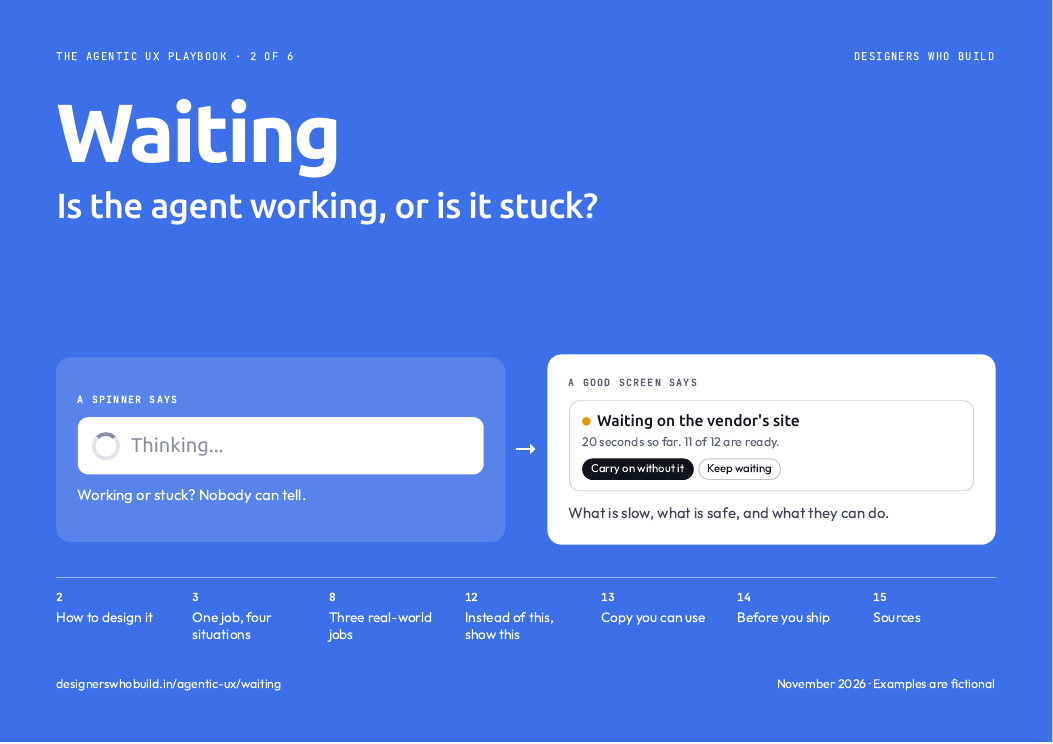
Thinking...
Please wait.
This reads the same whether it is working or stuck.
Usually 5 to 10 minutes
Running for 2 minutes so far.
A range and elapsed time set fair expectations.
97% complete
About 1 minute left.
If nothing measures this, it will be wrong, and people will notice.
Waiting on the Inkwell site
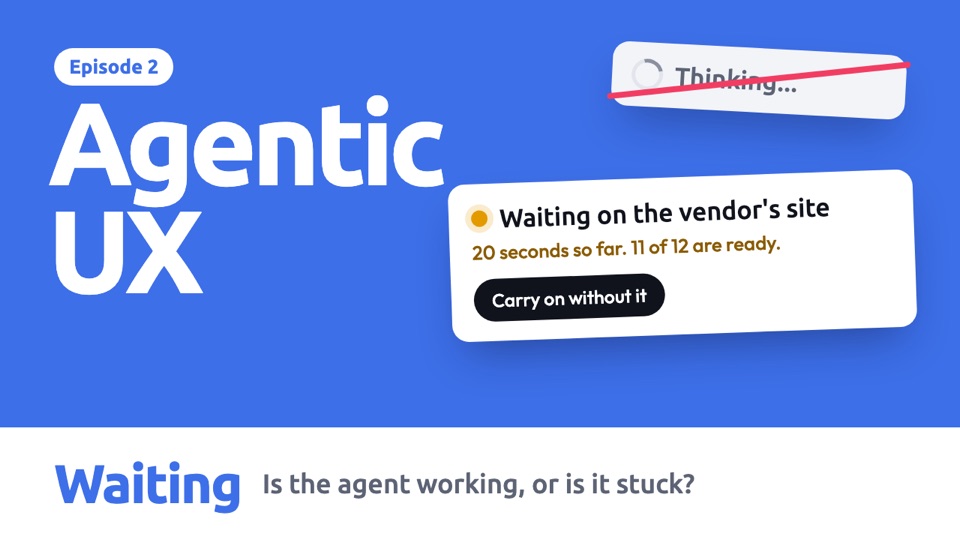
20 seconds so far. 11 of 12 are ready.
People can see the delay is not their fault, and decide what to do.
Working on it...
This may take a while.
A slow site, a stuck task and normal work all look identical.
You can leave this page
We'll notify you when it is done.
The person gets their time back.
Don't close this window
Your work may be lost.
Their screen is tied up for as long as the agent takes.
Everything above
- The decisions to make, in order
- Every situation and real-world job, animated
- What real products do, and how sure we are
- A prompt to build your own
- Do and don't
Ready for your next review
- Every example frame by frame, with when to use it
- Words for each state, ready to use
- An 11-point checklist for your next review
- Ready to print or share with your team
Comes with all six guides.
All examples are fictional, including names and numbers. Product details come from each company's documentation, checked on 7 Nov 2026, and have not been checked on screen. Design guidance is our starting point, not tested rules.