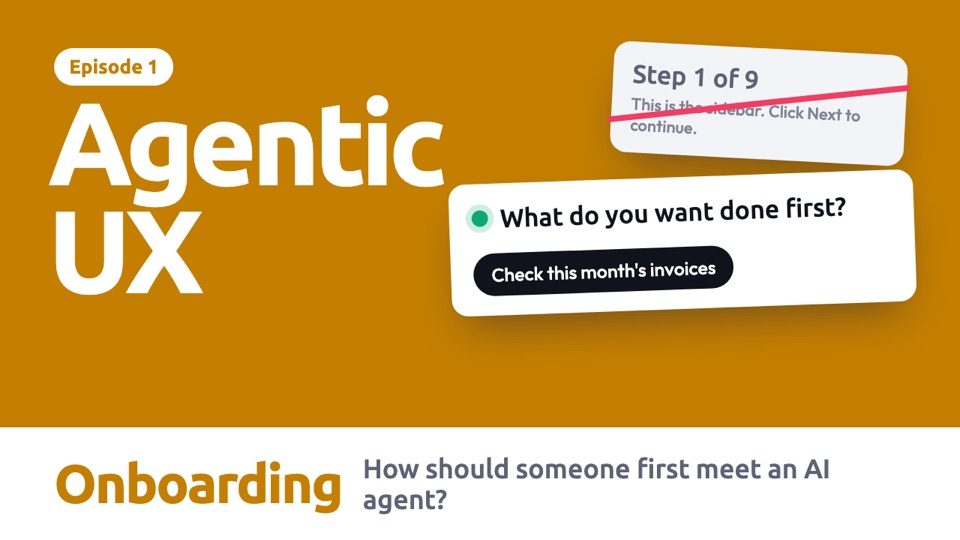
How to design it
Six decisions to make, in this order. They are our starting guidance, not tested rules.
Start with a real first job, not a tour
People learn an agent by giving it something to do. Ask what they want done, and offer examples that show what it is good at.
What do you want done first?
- 1Use real tasksExamples teach what it can do, without a feature list.
- 2Pick easy winsChoose first jobs that are low risk and quick to check.
Say what it can't do as well as what it can
Promising magic sets people up for disappointment. Describe limits plainly, in terms of their work.
Ask for access at the moment it is needed
A long list of permissions on the first screen is hard to judge. Ask when there is a job in front of them, so the reason is obvious.
Connect your invoices folder?
So I can check this month's invoices.
I can only read it. I won't change or delete anything.
- 1WhatThe one thing it needs.
- 2WhyTied to the job they just chose.
- 3The limitWhat it will not touch.
- 4Another waySaying no should not end the journey.
Choose where its limits start
Decide what it can do on day one, and how people can change that later. Real products disagree here, so this is a decision to make on purpose.
Design every way out, not just the happy path
Plenty of people won't finish setup the way you planned.
Use motion to show progress, then get out of the way
Onboarding should feel short. Each movement should move someone closer to a first result. Skip the long welcome animation.
One job, four situations
Someone starts using an invoice agent. Choose a situation and it plays by itself. Use the bar below it to jump to any step.
Read the steps as text
With a chat box
The ideaAn empty chat box tells people nothing. Real suggestions show what the agent is for.
- The chat box is not left empty. It suggests real first jobs.
- The person chooses one. No tour, and no settings yet.
- Now it needs access, so now it asks. The reason is the job they just chose.
- They allow reading. Saying no would still have left another way forward.
- The first result arrives, along with a plain statement of its limit.
No chat box
The ideaWhen an agent is added to a product people already know, teach it inside their work.
- There is no chat and no welcome screen. A small offer appears on one invoice.
- The person tries it on just one invoice, when it suits them.
- The result appears right there, and says exactly what the agent did and did not do.
- Now they have seen it work, it offers a little more.
- Every row now shows what the agent found. It can be switched off in settings.
Someone else set it up
The ideaAt work, someone else often decides the limits. People should know who, and what to do if they need more.
- A finance admin chooses what this agent may do for the team.
- A teammate opens it for the first time. It says plainly who set it up.
- The important limit stands out, before they try to rely on it.
- They start right away, with no settings to work through.
- When they hit a limit later, they know who can change it.
Coming back later
The ideaOnboarding doesn't end on day one. A returning person needs a recap, not the same tour.
- The person returns after three weeks. It doesn't restart the tour.
- It recaps what has happened, and what needs them.
- It can now do something new, so it says so. The new ability is off until they choose.
- They keep it off for now, and carry on.
- Nothing changed without their say. They can turn it on later in settings.
 In the PDF, each situation is one page you can print, with when to use it and what to watch out for. See what's in the guide
Three real-world jobs
Each product has a different first risk, so the first run changes too.
Read the steps as text
Adding a support agent
The first riskIt tells real customers something wrong.
The design movePractise on old tickets first, then start with drafts that a person sends.
- A support team adds an agent. It reads the help articles, and no customer sees anything.
- It practises on 50 old tickets. Nobody receives these replies.
- The team sees how it did, including what it got wrong. The mistakes stand out.
- They choose the careful start, and don't trust it fully yet.
- It is live, but only as drafts. A person sends every reply until the team changes this.
Connecting a calendar
The first riskGiving it far more access than the job needs.
The design moveAsk for one thing, tied to one job, and leave more for later.
- The person asks: "Summarise today's meetings." That needs only a calendar.
- So it asks for the calendar and nothing else, and says what it won't do.
- The person allows just that.
- The first result comes quickly, which shows why the access was worth giving.
- Only later does it offer more, with a clear reason. The person can say no.
First run in a design file
The first riskIts first action changes someone's real work.
The design moveTry the first run on a copy, show what changed, and let trust build from there.
- A designer asks: "Make all the buttons match." The agent reads the file, and changes nothing.
- Because this is its first run here, it works on a copy.
- It shows what changed, and points out that the original is safe.
- The designer checks the copy, and applies the changes.
- Done, and easy to undo. Next time, it offers to skip the copy.
In real products, and how sure we are
- Notion Custom Agents start from AI chat, a template or a blank agent, use only what you grant, and can be tried in a Chat tab. In docs
- Claude in Chrome shows "New permissions required" the first time it wants a site. In docs
- Claude Code starts in auto mode in the terminal and VS Code, and shows a notice the first time. In docs
- ChatGPT asks you to connect an account when needed, with per-app settings later. Summary only
of Claude Code sessions use full auto-approve, rising from new users to those with about 750 sessions, Anthropic reports. Trust seems to build over time, so onboarding is not one moment. This could also be fatigue: the data does not separate them.
In a study of 418 people, short-term use alone did not make their trust match the AI's real performance. Disclosing limits helped on only some measures.
The first figure is one vendor's data on coding users. The study tested a skin-lesion AI, seen in summary, not agents. Google's guidebook also advises short onboarding, avoiding hype and low-risk first actions, but that is advice, not a test.
Build it yourself
Paste this into Claude Code to make your own version.
Build one HTML page for the first run of an invoice agent. Start by asking "What do you want done first?" with three suggestions. When I choose one, ask only for the access that job needs, and say what it will not touch. Offer another way if I say no. Then simulate a first result, and say what the agent can't do yet. Keep it under four steps. Simulate everything. Explain each part in plain words.
Do and don't
A quick check before you ship. These examples are ours, not taken from any product.
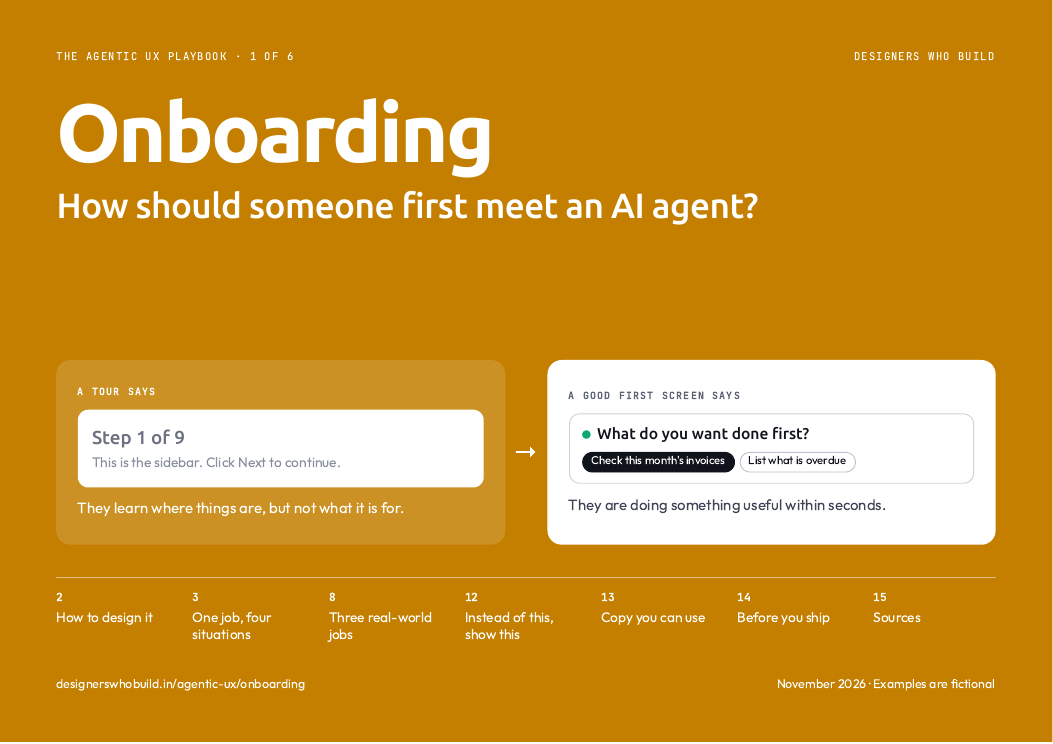
What do you want done first?
They are doing something useful within seconds.
Step 1 of 9
This is the sidebar. Click Next to continue.
They learn where things are, but not what it is for.
Connect your calendar?
Read only, for today's summary.
The request is small, and the reason is clear.
Connect your accounts
Email, calendar, Drive, contacts and payments.
Nobody can judge this before they have seen it work.
What I can do
I check invoices. I can't pay them yet, and scanned copies may be misread.
People know when to double-check.
I can do anything!
Just ask me and I'll take care of it.
The first failure will feel like a broken promise.
Try it on a copy
Your original file stays as it is.
A mistake here costs nothing.
Ready to email all clients
Send your first campaign now.
One early mistake could end their trust.
Everything above
- The decisions to make, in order
- Every situation and real-world job, animated
- What real products do, and how sure we are
- A prompt to build your own
- Do and don't
Ready for your next review
- Every example frame by frame, with when to use it
- Words for a first meeting, ready to use
- A 10-point checklist for your next review
- Ready to print or share with your team
Comes with all six guides.
All examples are fictional, including names and numbers. Product details come from each company's documentation, checked on 7 Nov 2026, and have not been checked on screen. Design guidance is our starting point, not tested rules.