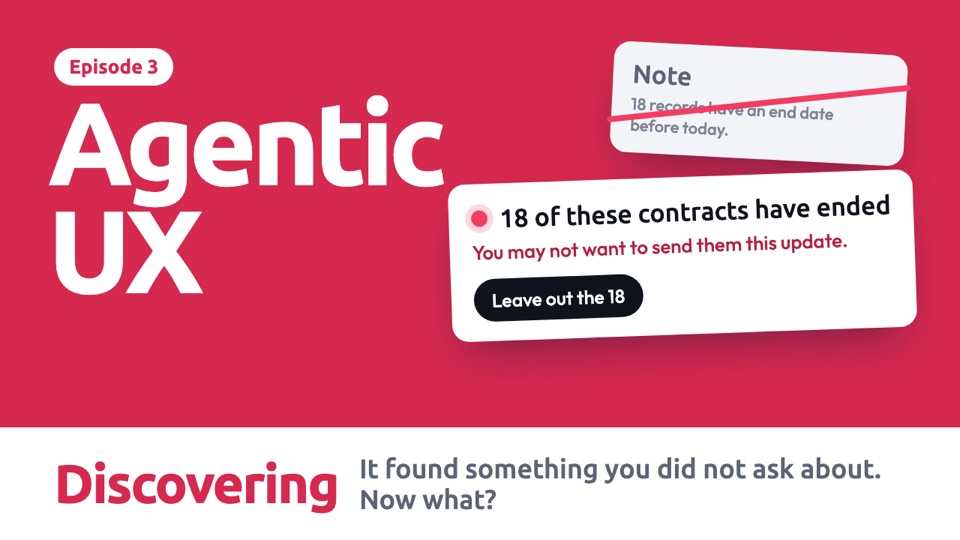
Our proposal We didn't find this documented as a named pattern in the products we checked, so this entry is our own suggestion and hasn't been tested with real people.
How to design it
Six decisions to make, in this order. They are our starting guidance, not tested rules.
Decide what is worth saying
This is the hardest decision. A useful test is: would knowing this change what the person wants done?
Say what it found, and why it matters
A finding on its own makes someone do more work. Connect it to the job they asked for.
18 of these contracts have ended
You may not want to send them this update.
Writing carries on. Sending waits for you.
- 1What it foundSpecific, with a number.
- 2Why it mattersFor this job, in plain words.
- 3What happens nowWhat continues, and what waits.
- 4What they can doReal choices, named after what they do.
Choose the moment
When you interrupt can matter as much as what you say. Prefer a natural break, and don't wait so long that it is too late.
Keep the rest of the work moving
Hold only what the finding affects, so that a question doesn't stall a whole job.
Design every ending, including being wrong
A discovery can be a false alarm. Say how sure it is, and don't act on it without being asked.
Use motion in proportion to the finding
The size of the movement should match how much the finding matters. Small notes shouldn't move at all. Timings are our suggestion.
One job, four situations
An agent is emailing 200 clients when it notices 18 of their contracts have ended. Choose a situation and it plays by itself. Use the bar below it to jump to any step.
Read the steps as text
With a chat box
The ideaSay what it found and why it matters. Hold only the step it affects, and keep safe work moving.
- The person asks for a simple job, with no mention of contracts.
- While reading the list, it finds something it wasn't asked about, and that would change the result.
- Writing the update is safe, so it continues. Only sending waits.
- The person decides, and it stays their decision.
- The plan updates, and the record says what changed from the original request.
No chat box
The ideaThe finding appears on the data it is about, so it can be seen in context.
- There is no chat. The agent prepares the mailing inside a client list.
- The list splits to show what it found, without any pop-up.
- The explanation sits right beside the 18 it is about.
- The person chooses, in the same place.
- The list reflects the choice, and it can be changed before sending.
When the person is away
The ideaDon't wake someone for a finding unless it can't wait. Hold the affected step, and let them choose when.
- The person has left, and the agent is working.
- It finds the 18 contracts. Sending can wait, so it finishes all the other work first.
- One notification arrives at a natural break, when the rest is ready.
- They open it when it suits them.
- Nothing has been sent, so the choice is still theirs.
When it is a small thing
The ideaMost findings don't deserve an interruption. Small ones go in the record, where people can find them.
- The agent notices a client's name has a typo in the list.
- This doesn't change the outcome much, so there is no alert and no pause.
- The work carries on as normal.
- The result arrives with the job done.
- The small finding is noted afterwards, for anyone who wants it.
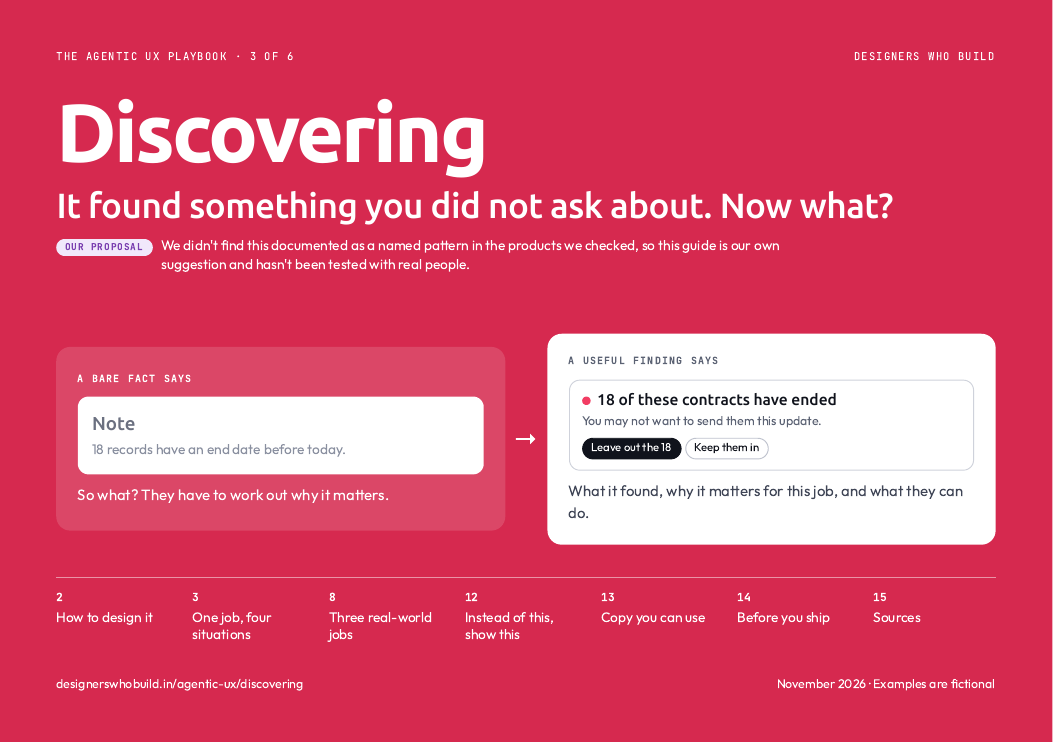 In the PDF, each situation is one page you can print, with when to use it and what to watch out for. See what's in the guide
Three real-world jobs
Each finding carries a different risk, so what the agent should do with it changes too.
Read the steps as text
A possible duplicate payment
The riskA costly finding gets buried, or a guess gets treated as a fact.
The design moveSurface it clearly, say how sure it is, and leave the decision to a person.
- The agent is matching invoices against the bank, which is what it was asked to do.
- It spots what looks like the same payment made twice.
- It says what it isn't sure about, so nobody treats this as proof.
- The person adds it to their list to check.
- It finishes the original job, and no money has moved.
A pattern in support tickets
The riskA pattern across many tickets goes unnoticed, because each one is handled alone.
The design moveAgents can see across all the work, so let them raise what one person can't see.
- The agent is drafting replies to new support tickets.
- Each ticket looks normal, but together they show a pattern.
- It raises this while the problem is still happening.
- The team lead passes it on.
- The original job continues, and the finding has gone to the right people.
An issue outside the request
The riskAn eager agent changes things nobody asked it to change.
The design moveReport what is outside the request, and don't act until someone says so.
- A designer asks the agent to rename the layers in a file.
- It notices something unrelated: some buttons have low contrast.
- It tells the designer at the end, and makes it clear that it hasn't touched them.
- The designer saves it for later.
- The job they asked for is done, and only that job.
In real products, and how sure we are
- No product we checked names this pattern. Our search wasn't exhaustive, so one may exist. Our proposal
- Nearest: Perplexity shows key findings during research, and takes follow-up questions while it runs. In docs
- Nearest: GitHub Copilot applies your message after its current step. In docs
- Nearest: Claude Code most often pauses itself to offer a choice of approaches, 35% of the stops Anthropic sampled. Anthropic adds that it may not always stop at the right moments. In docs
less annoyance at the best moment to interrupt than at the worst, in a 2004 study by Adamczyk and Bailey. The best moments also felt more respectful.
In a study of 18 programmers, proactive AI made them more efficient and also disrupted their work. Making its presence and activity clear reduced that disruption.
The 2004 study used news alerts during ordinary computer tasks, and the second is a small coding study. Neither tested an agent raising a discovery, so applying them here is our judgement.
Build it yourself
Paste this into Claude Code to make your own version.
Build one HTML page that simulates an agent preparing an email to 200 clients. While it runs, it finds that 18 contracts have ended. Show a card saying what it found and why it matters. Keep the writing step going, and hold back only the sending step. Let me leave those 18 out, keep them in, or see the names, then update the plan and the count. Simulate everything. Explain each part in plain words.
Do and don't
A quick check before you ship. These examples are ours, not taken from any product.
18 of these contracts have ended
You may not want to send them this update.
The person sees the finding and what it means for this job.
Note
18 records have an end date before today.
So what? They have to work out why it matters.
Writing carries on
Only sending waits for your answer.
A question doesn't stall all the work.
Task paused
Answer this question to continue.
Safe work waits for no good reason.
Sent to 200 clients
Also noticed: 1 name may have a typo.
It is available, and it doesn't cost any attention.
I found something!
One client name may have a typo.
After a few of these, people may stop paying attention to the important one.
40 buttons have low contrast
Not changed. Fix them too?
The person stays in charge of the scope.
Done
Renamed 312 layers. Also recoloured 40 buttons.
They asked for names, and got a different design.
Everything above
- The decisions to make, in order
- Every situation and real-world job, animated
- What real products do, and how sure we are
- A prompt to build your own
- Do and don't
Ready for your next review
- Every example frame by frame, with when to use it
- Words for a finding, ready to use
- An 11-point checklist for your next review
- Ready to print or share with your team
Comes with all six guides.
All examples are fictional, including names and numbers. Product details come from each company's documentation, checked on 7 Nov 2026, and have not been checked on screen. Design guidance is our starting point, not tested rules.